How to Enable and Use the Workflow AI Feature?

Person typing on a laptop with a visible on-screen calendar. The background consists of abstract blue shapes and a logo featuring an upward arrow.

One of the most notable developments in the AI arena is the Upsurge Workflow AI feature, built to simplify and automate business operations. This ushers in a new era of efficiency and productivity in the business environment.

Leveraging the Upsurge Workflow AI feature streamlines routine tasks and paves the way for creating value with its rebilling functionality. This innovative feature empowers businesses to activate Upsurge Workflow AI for all their clients and bill them either at cost or with an additional profit margin, thus transforming it into a revenue-generating mechanism. 

The Activation Steps for Workflow AI Feature

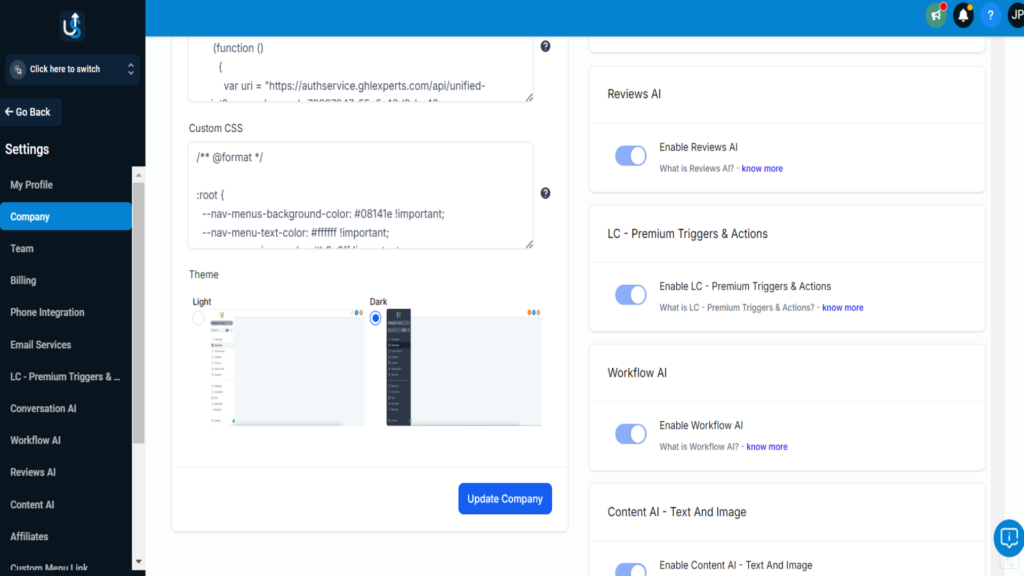
To activate the Upsurge Workflow AI feature at the agency level, encompassing all your sub-accounts, navigate through AgencyLevel > Settings > Company > LC—Premium Triggers & Actions

Here, you should enable the toggle.

Workflow AI The Activation Steps

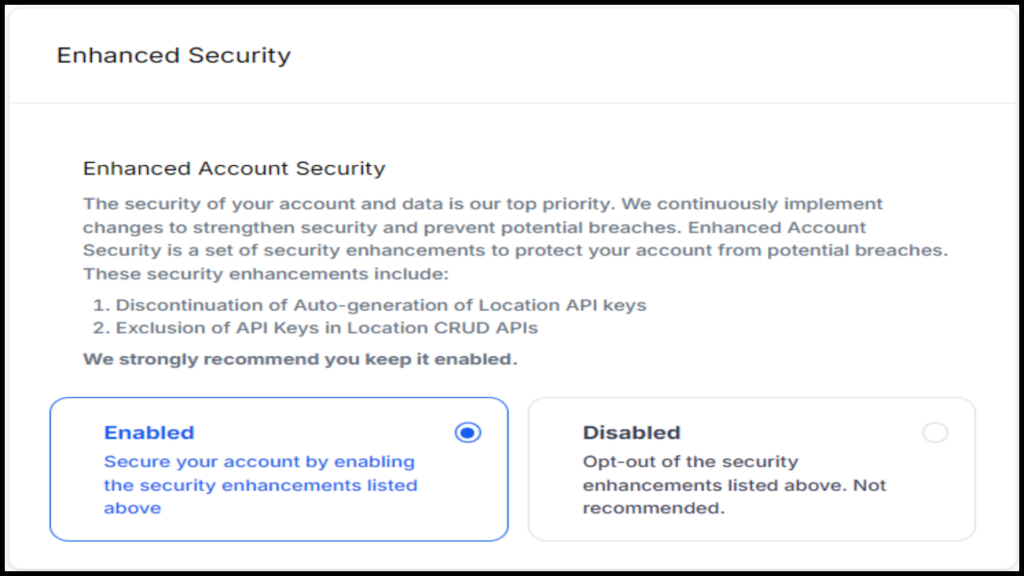
You then confirm acceptance of the upsurge Workflow AI terms by checking the respective box and clicking on ‘Enable.’ 

Enhanced Security settings page detailing enhanced account security options. Users can enable or disable enhanced security features including API key changes and discontinuation of auto-generation.

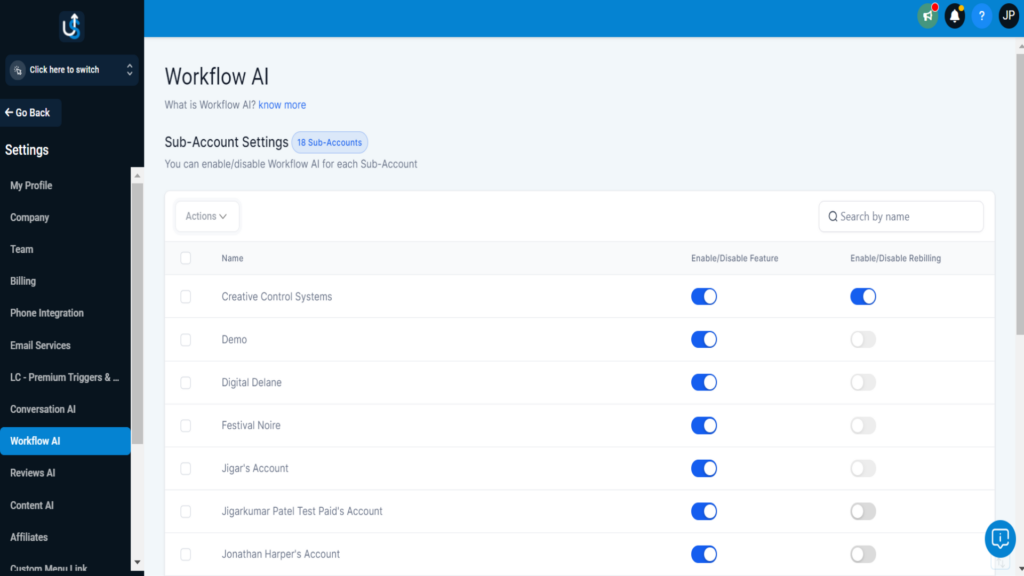
Remember, you should control the Upsurge Workflow AI feature—turn it on or off or rebill—for each sub-account via Agency Settings > Workflow AI. This access is only available if Upsurge Workflow AI feature is activated at the agency level.

Workflow AI The Activation Steps 3

The Pricing Aspect of Workflow AI Feature

A person interacts with a digital interface displaying the term "API" surrounded by various icons, suggesting connectivity and data exchange. A world map is visible in the background.

Initiating Premium Actions & Triggers in your agency settings grants both existing and new sub-accounts 100 free executions. Once these free executions are used up, $0.03/execution for the GPT 4 Turbo model and $0.015/execution for the GPT 3.5 Turbo model will be deducted from the agency wallet per execution from any sub-accounts usage unless rebilling is activated.

Rebilling to Facilitate Earnings

Enabling the Upsurge workflow AI feature in your agency account automatically makes it available for all your clients. This allows you to bill your clients either at the exact cost or with an additional markup.

How to Activate Rebilling for Clients?

The initiation of the process requires ensuring that the Upsurge Workflow AI feature is turned on for your Agency (please refer to the instructions above). If the sub-account is not already in SaaS Mode, you can switch it by navigating through your Agency account > Accounts tab > scrolling to the sub-account > clicking the three dots icon and choosing “Switch to SaaS.”

Subsequently, access the Agency account > Accounts tab > Scroll to the Sub-Account > Click the ‘View Details’ link > Scroll to the Upsurge Workflow AI Resell Settings section, and enable it.

You can use the slider to determine the markup amount you wish to earn and click save. This step must be repeated for all your Sub-Accounts where you want to rebill for usage.

How Does Rebilling Work?

When agencies make payments to Upsurge, they receive invoices branded with Upsurge. Sub-accounts (your clients) pay you (the Agency) and receive invoices carrying your branding. The payment is deposited into your Stripe account and linked to your agency level.

This method resembles other Upsurge Workflow AI features that adopt rebilling or reselling models. Like LC Phone or LC Email rebilling, Premium Workflow actions also use “credits” from the Agency and location wallets.

Navigating the Workflow AI Feature Frontier

With Upsurge Workflow AI, you can access a robust set of features and novel capabilities designed to transform your Agency’s operations. Explore the frontier of workflow automation with the Upsurge Workflow AI feature.

Navigating the Workflow AI Feature Frontier

  • Advanced Triggers & Actions: Accelerate complex automation processes by utilizing the LC—Premium Triggers & Actions feature provided by Upsurge Workflow AI.

  • Flexibility & Adaptability: Whether you’re an AI veteran or a novice, Upsurge Workflow AI is intuitively designed for user-friendliness. The Workflow AI feature can be adapted to align with your Agency’s evolving needs and growth strategies.

  • With Upsurge Workflow AI, you can effortlessly connect your preferred applications regularly. The Workflow AI feature allows you to standardize, visualize, and streamline data from diverse sources into one easily accessible platform.

  • Drag-and-Drop Interface: Upsurge Workflow AI’s intuitive drag-and-drop interface simplifies designing and constructing bespoke workflows.

  • AI Models & Algorithm: Capitalize on the power of GPT 4 Turbo and GPT 3.5 Turbo models for your Agency and sub-accounts, deploying machine learning’s prowess in your operations.

Unmatched Benefits of Workflow AI

Integrating workflow AI into your operations unlocks a universe full of opportunities. The upsurge isn’t simply about bringing efficiency through automation—it’s about fundamentally transforming your enterprise through cutting-edge artificial intelligence. Experience the transformation with enhanced process efficiencies and effortless administration at your fingertips.

Here are the Advantages.

Maximized Operational Efficiency with AI: Upsurge’s Workflow AI propels your business to new heights by automating mundane tasks. This shift allows your employees to redirect their energies toward high-impact strategic initiatives.

Intelligent Data Organization: With the power of machine learning, our Workflow AI excels in sorting through extensive volumes of textual data, categorizing and labeling them within an intuitive workspace, streamlining your data handling.

Amplified Team Productivity: By automating routine tasks, Upsurge’s Workflow AI ensures your team dedicates their time and talent to where it truly counts, boosting your organization’s productivity exponentially.

Cost Management Simplified: Our Workflow AI comes equipped with sophisticated rebilling capabilities, enabling you to manage expenditures precisely. Allocate charges directly to clients or add markup for additional revenue—all in a cost-effective manner. This precision and accuracy will give you the peace of mind that your costs are being managed in the best possible way.

How to use Workflow AI?

Delving into artificial intelligence might appear overwhelming, but Upsurge’s Workflow AI feature makes it effortless. Our pioneering AI-driven process automation feature is designed to simplify, accelerate, and transform your routine business processes. With Workflow AI, prepare to redefine the efficiency of your daily operations.

How to use Workflow AI

Here’s your step-by-step guide to getting up and running:

Activating Workflow AI: Begin by enabling Workflow AI within your Agency settings. Navigate to AgencyLevel > Settings > Company > LC – Premium Triggers & Actions, and flick the switch to the ‘on’ position. Ensure you accept the Workflow AI terms by ticking the checkbox, then click ‘Enable.’

Selecting Your AI Powerhouse: Tailor your experience by choosing between the GPT 4 Turbo or GPT 3.5 Turbo AI models based on your specific needs. Once activated, the corresponding model’s fees will automatically be deducted from your agency wallet.

Implementing Premium Triggers & Actions: Upon activation, 100 complimentary executions will be distributed to each sub-account within your Agency. These executions power the automated actions initiated by your workflow, such as dispatching emails or updating records.

Crafting Your Workflow: Move over to the Workflow Builder section. Using the intuitive drag-and-drop setup, you can effortlessly determine your workflow’s triggers and actions—from auto-generated emails to sophisticated data sorting with your chosen AI model.

Enabling Rebilling: Use the rebill functionality to charge your clients for AI-powered services. Within your agency account’s Workflow AI Resell Settings, you can define a profitable markup percentage.

Tracking Your Success: Workflow AI includes monitoring features to track your workflows’ effectiveness, providing insights that enable continual refinement and optimization.

Tailoring for Perfection: Utilize the performance metrics to fine-tune your approach. Experiment with various triggers, actions, or AI models to align perfectly with your business’s dynamic landscape.

Workflow AI by Upsurge is built to be intuitive, allowing you to harness AI and machine learning quickly. Whether you’re integrating automation, managing rebilling, or exploring new applications, your potential is as boundless as your imagination. Upsurge provides the features and support for AI veterans and newcomers to streamline operations confidently.


The Upsurge Era: Propelling Business Growth with Workflow AI Feature

Workflow AI is more than just an AI feature; it’s a business game-changer.

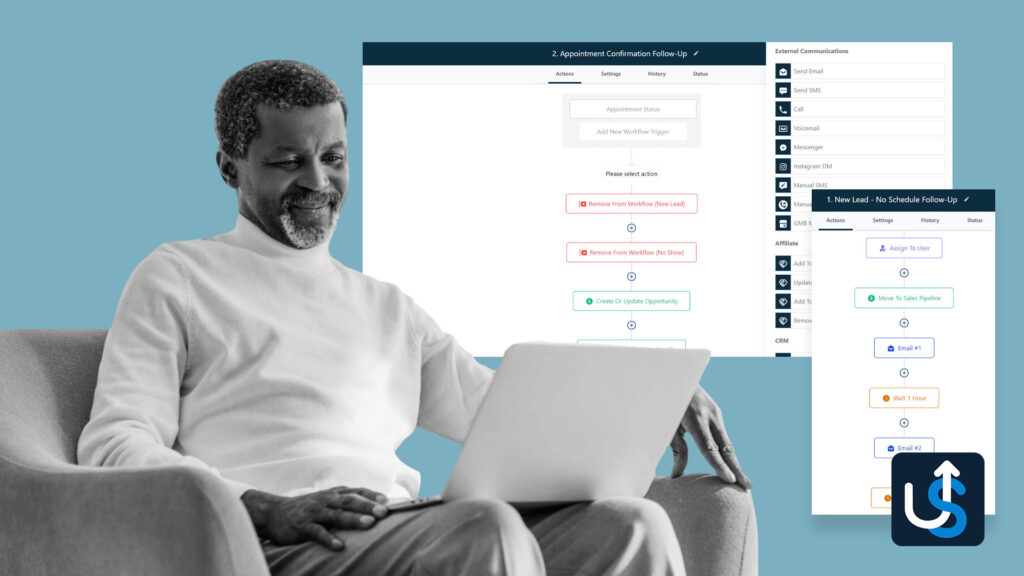
A person smiling while using a laptop, with workflow diagrams and a list of email communications displayed on screens in the background.

Here’s how it contributes to the Upsurge of your business growth:

  • Client Satisfaction: Offering AI-powered solutions to your clients enhances their operational efficiency and positions your Agency as a frontrunner in innovative solutions, building trust and satisfaction.
  • Profit Generation: The rebilling feature establishes a new revenue stream. You can charge your clients for the AI functionalities they use, either at cost or with an added profit margin.
  • Competitive Advantage: Technological advancements are essential. By integrating Workflow AI, you demonstrate your Agency’s commitment to cutting-edge technology, giving you a competitive edge.
  • Scalability: As your Agency grows, so do your tasks and processes. Workflow AI grows with you, providing scalable solutions that meet your evolving needs.
  • Accessibility: Workflow AI’s ease of use and seamless integration with existing systems make it a workflow AI feature that can be implemented agency-wide, ensuring everyone benefits from increased efficiency and productivity.

With the Workflow AI feature, you don’t just adapt to the future; you shape it. Implement and optimize this AI-powered marvel to boost your business operations.

Conclusion

Workflow AI feature is a practical AI feature that revolutionizes business processes through advanced automation. Its innovative rebilling feature also serves as a new potential revenue stream. It’s a gateway to unprecedented efficiency, productivity, and growth for businesses willing to embrace the future of work.

We invite you to explore the transformative power of the Workflow AI feature with Upsurge. Let’s embark on this exciting journey and redefine the future of your operations together. Get in touch today to make the most of Workflow AI’s features and witness an extraordinary upsurge in your business growth.